 Work Orchestra
You shape the landscape
Pin the folders. Attach the files. Connect the tools. Capture the threads. You decide what belongs to this body of work — and what doesn't. No taxonomy meeting, no migration. Just point at what's relevant.
Work Orchestra gives your files, web tools, AI, and agents one working surface — so you can open the work, understand what changed, and direct what happens next.
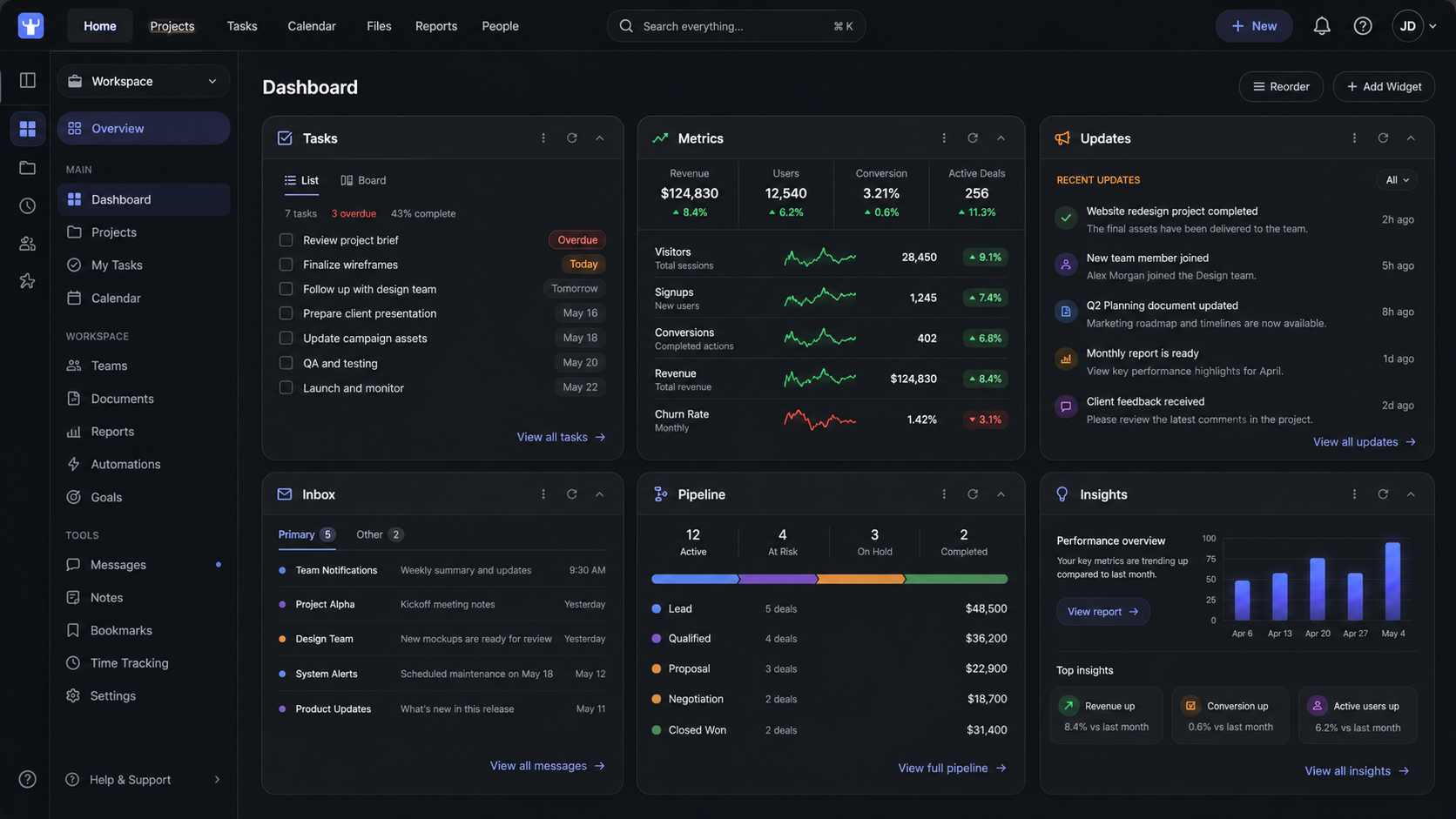
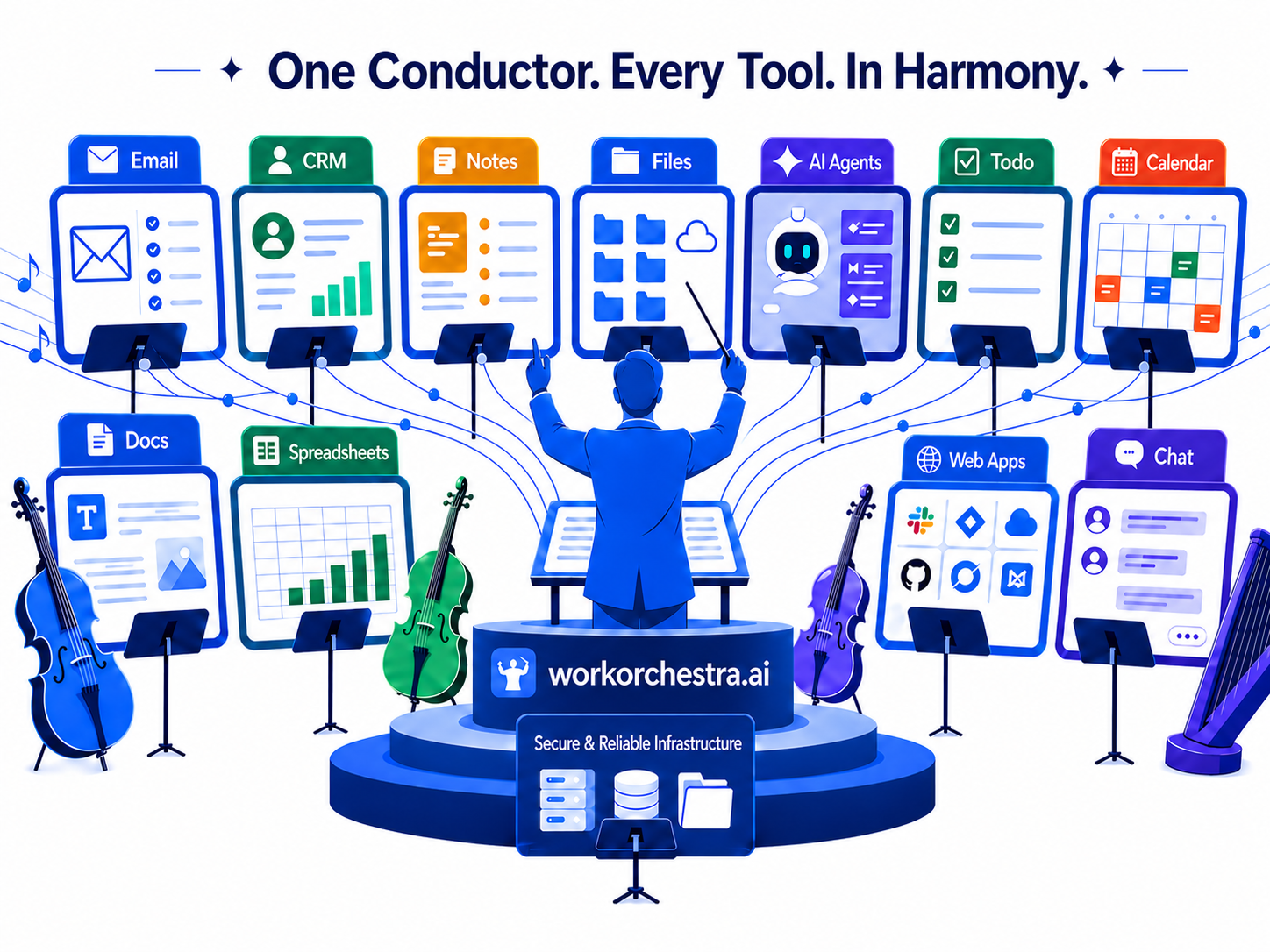
Files. Folders. Tabs. Notes. Messages. Tools. AI. Agents.
The goal isn't to collapse them into one monolithic app — it's to coordinate them. Your files stay files. Your web tools stay web tools. Your AI stays AI. Work Orchestra gives you the interface to direct them together.
Create a surface for a body of work, connect the folders and tools that belong to it, then use AI and agents inside that context.
Not a dashboard about the work. The interface where the work happens.
Most AI tools sit and wait for you to explain the situation. Work Orchestra inverts the model. You shape the work landscape — the folders, files, tools, and threads that matter. We turn that into a structured map AI can consume natively. The AI doesn't guess what you meant. It reads the map you built.
Pin the folders. Attach the files. Connect the tools. Capture the threads. You decide what belongs to this body of work — and what doesn't. No taxonomy meeting, no migration. Just point at what's relevant.
Files become readable artifacts. Folders become scoped containers. Notes become workspace memory. Tools become callable. AI gets a structured map of what exists, where, and how it relates — not a pile of pasted text.
When you ask, the file is already in scope, the thread already loaded, the tool already authorized. No "let me paste the relevant bits." No re-explaining the project. The AI reads the map and works.
The result: AI you can trust to act — because the context didn't come from a guess, it came from you.
The most common question we get: "Won't Claude just do this?" Claude is a powerful AI assistant. Work Orchestra is the working surface Claude needs.
It helps users ask questions, generate content, analyze information, build artifacts, use skills, and connect to apps. Its center of gravity is the AI conversation.
It gathers files, folders, shared drives, web tools, context, AI, and agents into one desktop surface. Its center of gravity is the work itself.
"What can AI help you do?"
"Where is the work, and how do we give you one interface to direct it?"
Most software companies want to become the place where your work lives. We make the opposite bet.
Your files already live somewhere. Your team already has a shared drive. That isn't a legacy problem to replace — it's the foundation.
The file server stays the source of truth. Work Orchestra is the interface above it.
A blank chatbot has neither. It waits for you to explain the situation, paste the relevant material, and translate the answer back into the tools where the work actually happens.
Work Orchestra changes the starting point. The files, web tools, notes, and history are already there.
AI can act from inside the work, instead of hovering beside it.
Your shared drive stays the source of truth. Work Orchestra points at the files and tools you already use, then layers an interface on top. If you stop using Work Orchestra, your files are still your files — same folders, same formats, same place they were before. No export, no migration, no contract holding your work captive.
Five things, gathered in one place. Each is a real first-class citizen — not a feature pretending to be one.
Pin folders, documents, spreadsheets, PDFs, and notes from your existing drives.
Bring Gmail, Calendar, browser tabs, wikis, dashboards, and forms into the same window.
Ask questions and give commands with the current work already in context.
Compare two versions of a file, summarize what changed, update a tracker, and prepare the follow-up — across the files and tools already open.
Use built-in tools or add your own. The plugin SDK is open and documented.
No single one of these is defensible alone. The combination is the product — and no other tool ships all four.
Built on your shared drive, cloud folder, NAS, or local files. Nothing migrates into our database.
Gmail, Calendar, browser, wiki, todo, RSS, DocuSign, and more — gathered into one window.
Direct it in plain language. It reads files, drafts emails, runs multi-step work.
Your surface is described in JSON. Point another machine at the same files and the interface follows.
Twenty-eight first-class tools ship today. Use them as-is, or build your own.
…and a plugin SDK for whatever your work needs next.
Anyone whose work is spread across files on a shared drive and tools on the web — and who wants one place to direct it all from.
They have many things going on at once — founders, operators, analysts, researchers, writers, lawyers, investors, consultants. Their source of truth is in folders. Their tools live on the web, their context scattered across tabs, files, messages, and AI chats. They wish AI could do the boring parts without making them paste the whole story into a blank box first. They are not looking for another empty system to maintain — they are looking for a better interface to the work they already have.
A side-by-side look at where Work Orchestra fits versus the most common alternatives — including AI-first products like Claude for Work, where the center of gravity is the AI conversation rather than the work itself.
Swipe sideways to see every column →
| Work Orchestra YOU | Notion / Obsidian | Raycast / Alfred | Claude for Work | File manager + tabs | |
|---|---|---|---|---|---|
| Files stay on your drive | ✓ Source of truth on your file server | ✗ Stored in their database | — Not a file tool | ~ Files referenced, not held | ✓ |
| Web tools in the same surface | ✓ Gmail, Calendar, browser, wiki, RSS, more | ~ Some embeds | ~ Quick-launch only | ~ Connectors, but inside chat | ✗ Each tool a separate window |
| AI with full context of your work | ✓ Files, tools, history all available | ~ Limited to their database | ✗ | ~ Per-Project context, not your environment | ✗ |
| Agents that act across tools | ✓ Multi-step work in your environment | ✗ | ✗ | ~ Skills + connectors, vendor's ecosystem | ✗ |
| Center of gravity | ✓ The work itself | ~ Their database | ~ App launching | ~ The AI conversation | ~ File hierarchy |
| AI provider flexibility | ✓ Use Claude, others, or local — your choice | ~ Their AI features only | — | ✗ Anthropic's models only | — |
| Works offline (your files) | ✓ Files are local; tools degrade gracefully | ✗ Cloud-only | ✓ | ✗ Cloud-only | ✓ |
| Portable across machines | ✓ JSON state, points at your drive | ✓ Their cloud sync | ~ | ✓ Their account sync | ~ |
| Extensible (write your own tools) | ✓ Open plugin SDK | ~ Limited API | ✓ Extension store | ~ Skills + MCP, in their environment | ✗ |
| If you stop using it… | ✓ Files unchanged, work intact | ✗ Export and rebuild | ✓ | ~ Projects, history, artifacts are theirs | ✓ |
Your files stay where they are. Your web tools stay yours. Work Orchestra gives them one working interface, with AI and agents inside.